Control Your Windows Servers from Anywhere
Restart servers, fix services, and stay in control directly from your iPhone
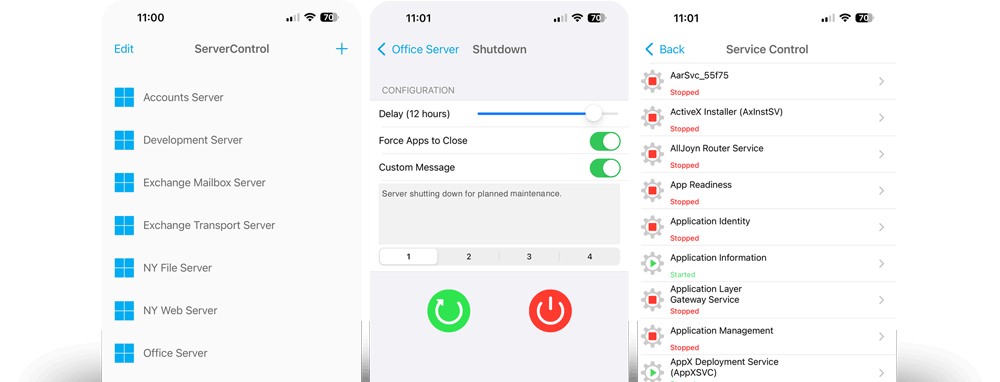
ServerControl gives you instant access to critical server functions — without slow Remote Desktop sessions or complex setup.


When Something Breaks, You Don’t Have Time for RDP
Servers don’t fail at convenient times. Whether it’s a crashed service, a locked process, or a server that needs a reboot, logging in via Remote Desktop can be slow, frustrating, or completely unavailable.
ServerControl is built for those moments.
Fix problems in seconds — from anywhere — using your iPhone.
Restart and Manage Windows Servers Remotely
ServerControl gives you fast, direct control over your Windows servers without needing full remote access.
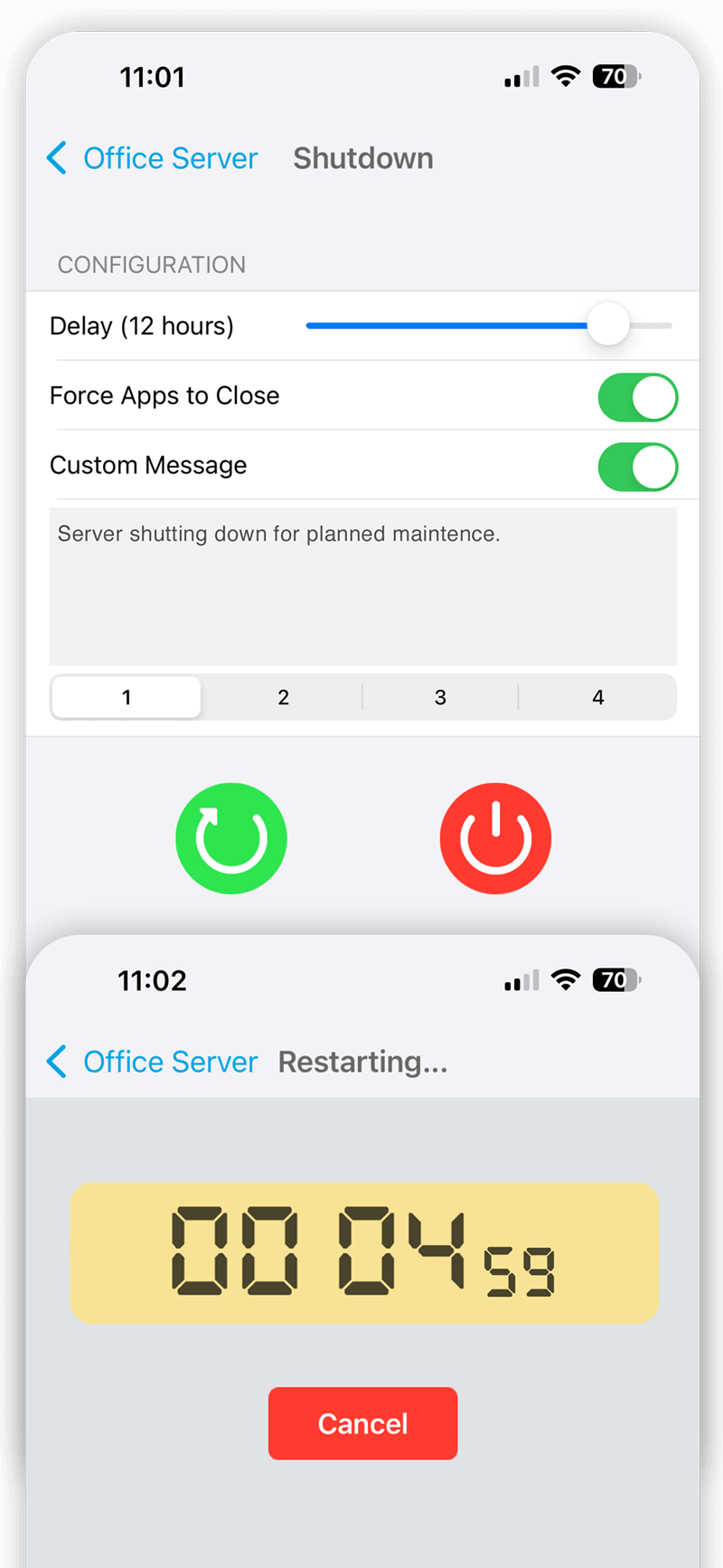
- Restart or shut down servers instantly
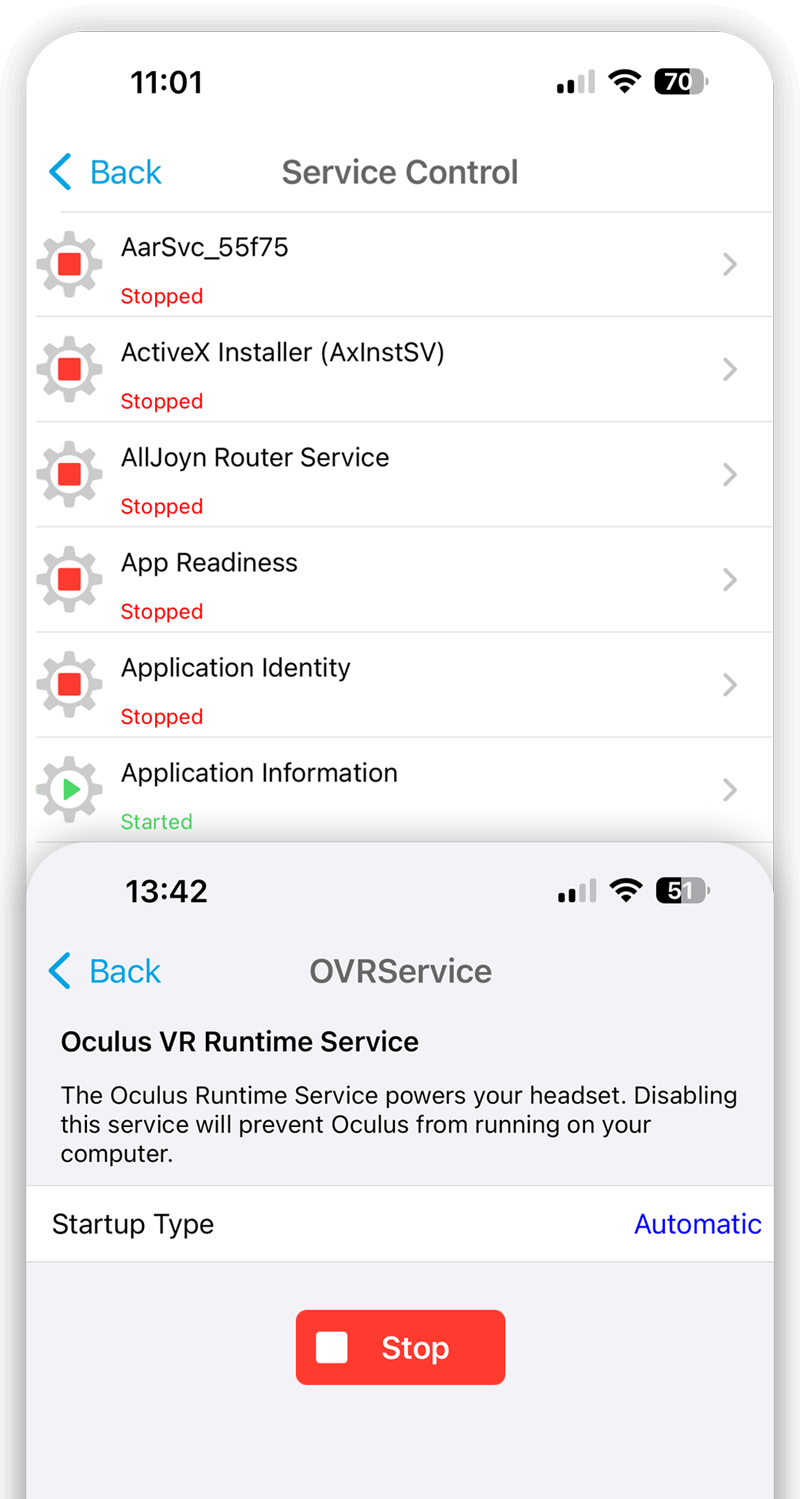
- Start, stop, and restart services
- Monitor service status in real time
- Fix issues without logging into the desktop
No delays. No unnecessary steps. Just control when you need it. See how ServerControl works with Servers in our guide.
On-call sysadmins
Respond to outages quickly without opening a laptop.
Managed service providers (MSPs)
Manage multiple client servers efficiently from anywhere.
IT consultants
Fix issues fast without needing full remote access.
Home lab users
Control and manage servers with ease from your phone.

No Agents, No Setup, No Hassle
ServerControl works with your existing Windows environment:
- No software to install on your servers
- No additional services to configure
- Works securely over your existing VPN
If you can access your network, you can control your servers.
Fix Services in Seconds
When critical services fail, speed matters.
ServerControl lets you:
- Restart failed services instantly
- Manage dependent services correctly
- Get systems back online faster
No digging through menus. No waiting for remote sessions. See how ServerControl works with Services in our guide.
Trusted by IT Professionals

ServerControl - Great!
This app is great! As a sysadmin this app has made my life easier at work. Able to connect to Windows and control services with no problems. Support is great and many issues are addressed very well on their website. This app paired with their FileBrowser app are probably the 2 most useful Windows IT administration apps I use! Great job guys keep it up, would love to see more great products come from you all.

ServerControl - Must have for Administrators
You can set up access to multiple machines. Shut down processes or entire pc. When you get that HELP phone call. See all running applications and processes and fix it from wherever you are. A real life saver.
ServerControl - Excellent
Brilliant app to use to remotely restart services and shutdown servers. Works extremely well and very useful.
ServerControl is used every day by IT professionals who need fast, reliable server control.
Take Control of Your Servers — Anytime, Anywhere
When something goes wrong, every second counts.
ServerControl gives you the fastest way to respond — without the friction of traditional remote access tools.

 Administrator Account Needed
In order to shutdown or restart a Windows Server, ServerControl needs to connect as the Administrator account. This account is disabled by default and will need to be activated.
See our Guide.Frequently Asked Questions
-
Can I restart a Windows server from my iPhone?
Yes. ServerControl allows you to restart or shut down Windows servers remotely in seconds. See our Guide.
-
Do I need Remote Desktop (RDP)?
No. ServerControl works independently — no Remote Desktop session required.
-
Does it work over VPN?
Yes. It works securely over your existing VPN connection.
-
Do I need to install software on the server?
No. ServerControl requires no agents or additional software on your servers.


