How to Find Your IP Address in Windows 10 for Network Sharing
When connecting to a Windows 10 PC over the network, you may need to know its IP address. This is a unique number that identifies the computer on the network and is often used when setting up or troubleshooting SMB file sharing connections.
Using the IP address allows you to connect directly to the PC without relying on the computer name or network browsing.
Find your IP Address
Open a Command Prompt by pressing the Windows key and typing 'Command" and selecting the Command Prompt App.
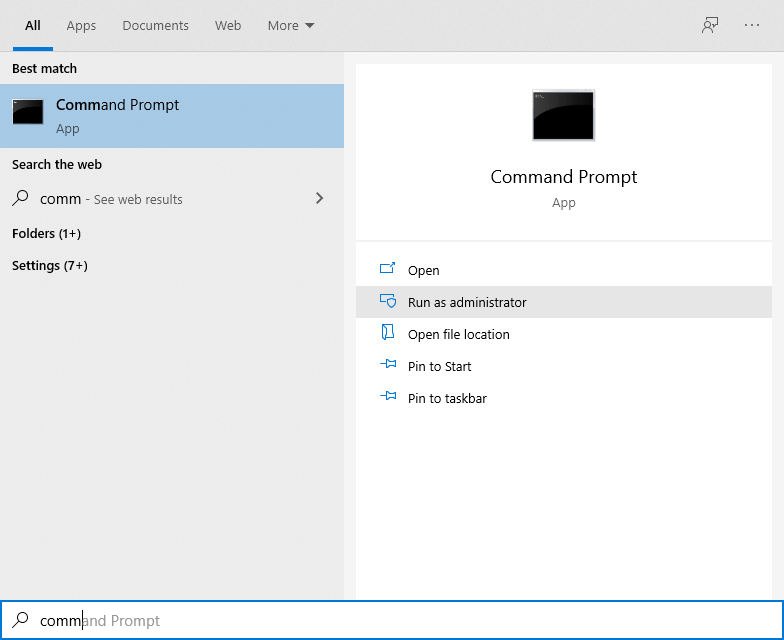
Type the command "ipconfig" into the Command Prompt app and press Return, you should get output similar to the following:
Windows IP Configuration
Ethernet adapter Ethernet:
Connection-specific DNS Suffix . .: broadband
IPv6 Address. . . . . . . . . . . : fs52:a81c:df85:1:c803:610d:7a5a:1217
Temporary IPv6 Address. . . . . . : fs52:a81c:df85:1:7922:e0b1:cw32:bd31
Link-local IPv6 Address. . . . . .: fe80::c803:610d:7a5a:1217%5
IPv4 Address. . . . . . . . . . . : 192.168.1.12
Subnet Mask . . . . . . . . . . . : 255.255.255.0
Default Gateway . . . . . . . . . : 192.168.1.1
The "IPv4 Address" is the information we're looking for, and is four numbers separated by dot characters, so is "192.168.1.12" in the example above.
In FileBrowser, edit your connection details for your Windows 10 location by doing the following:
- Go to FileBrowser's home screen.
- Tap the 3-dots icon for your Windows 10 location.
- Tap 'Edit...'
- Enter the IPv4 address into the "Name or URL" field.
- Tap 'Save".
- Then try to connect again.
Options
I have a different version of Windows
- How to find your IP Address on Windows 7
- How to find your IP Address on Windows Vista
- How to find your IP Address on Windows XP

About FileBrowser
FileBrowser provides reliable access to files stored on Windows PCs, NAS drives, and other network storage devices directly from iPhone and iPad.
Whether you are connecting on a home network, office network, or VPN connection, FileBrowser is designed for fast and secure access to Windows shared folders, SMB network drives, and file servers.
Download FileBrowser
Access files on your Windows PC, network shares, and NAS drives directly from iPhone and iPad.


Unsure which version of FileBrowser is for you? Check out our comparison page.