FileBrowser Professional
The Professional File Management App for iPhone & iPad
Access all your Documents on your Computer or your Cloud Storage Using One App
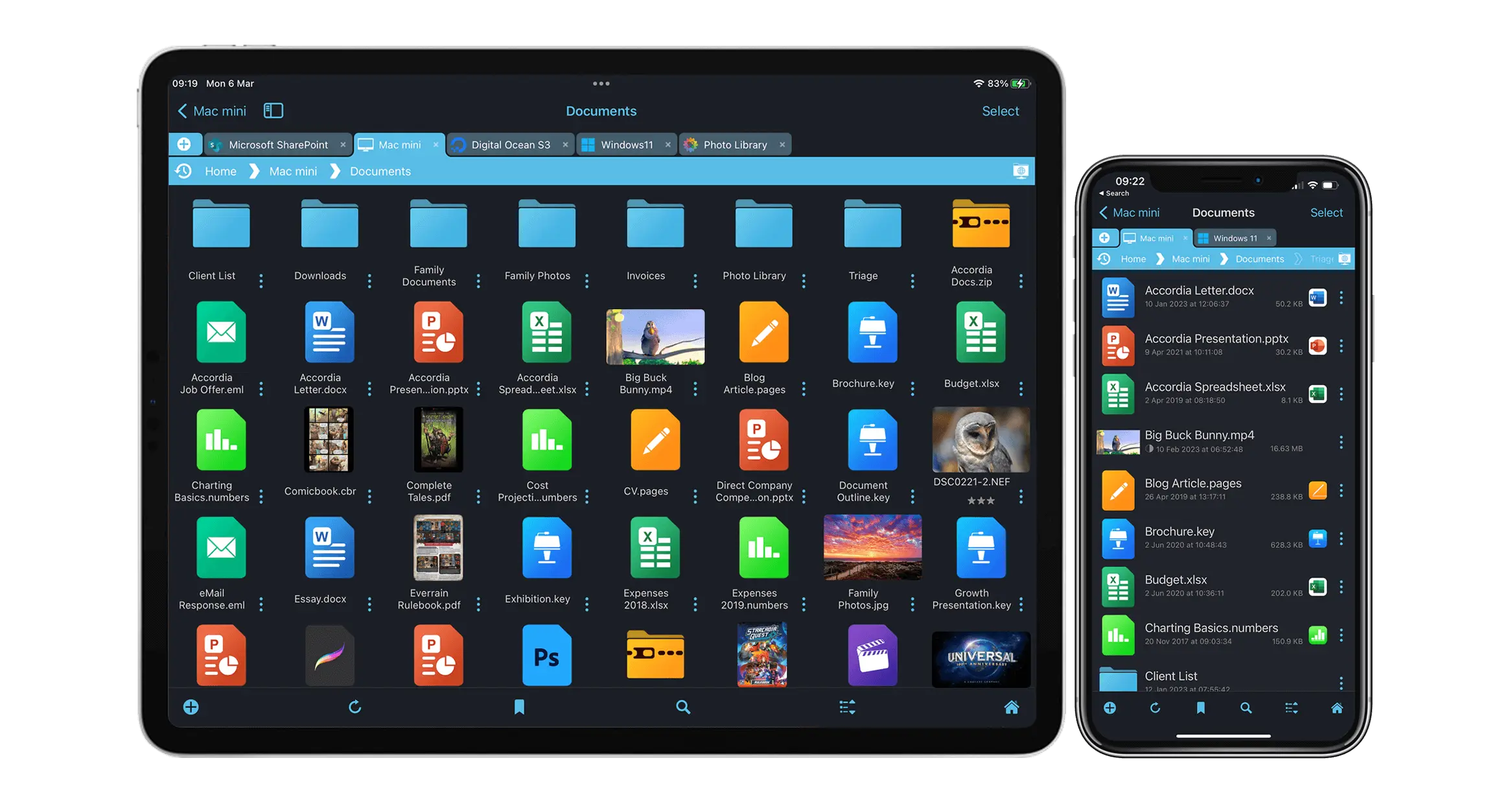
FileBrowser Professional allows your iPhone/iPad to work as a file manager to do what would normally require a desktop computer.
 Unlike other free file manager apps FileBrowser Professional has no in-app purchases or additional costs. No account registration or sign-up.

All the professional features you need from a document management app for your iOS devices. Connect to your computers, servers, cloud storage and USB drives. Edit documents in-place. Rename files and folders in bulk, create automatic file backup and sync tasks and so much more.
Open multiple locations at once and easily drag and drop files from anywhere to anywhere. FileBrowser Professional is the only app you need to manage and access your file storage.
A Professional Files App for iPhone & iPad Trusted by Companies Worldwide
Our apps are trusted by companies worldwide and are used by global automotive companies, financial institutions, and government agencies.











FileBrowser remains the best option if you're looking for a file manager that supports a variety of external connections and also integrates deeply with iOS.Federico Viticci - MacStories - Full Article

With its 20 different connection types, FileBrowser Professional integrates all your network and cloud storage into one app.Crast.net - Full Article

FileBrowser Pro emerges as a top-tier solution for individuals and teams seeking a seamless file management experience across various cloud platforms. Its intuitive interface and extensive functionality—ranging from file organization to collaboration tools—make it a versatile asset for both casual users and professionals.Luke Hildenbrand - Mac Sources

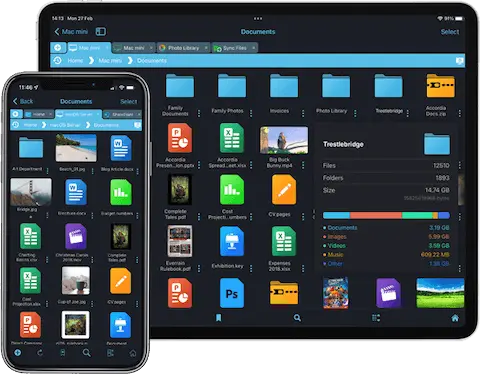
Browse and Manage All your Documents on iOS
Easily copy and move documents and folders from one computer to another or to your cloud storage with our FileBrowser Professional iPad/iPhone app.

Mac (macOS)

Windows PC

Network Drives

USB

iOS Photos

Shared App Folders

Time Capsule

Linux

SMB 1, 2 & 3

FTP, FTPS & SFTP

WebDAV

Google Drive


Box

DropBox





rsync.net

NextCloud

Storj

Synology NAS

QNAP NAS

Amazon S3

Microsoft Azure

OneDrive for Business

SharePoint
Connect to Computers and File Servers
The most versatile file manager on the App Store connects to all your computers, Windows PC, Mac (macOS), USB, network drives and company servers using our integrated SMB, FTP, FTPS, SFTP and WebDAV clients.
Cloud to Cloud File Management for iOS
Connect to over 13 different cloud storage providers and access all your documents in the cloud. Unlike cloud-specific apps, FileBrowser Professional can link multiple cloud user accounts and freely transfer documents between them.
External USB Drives
Connect to external USB flash drives, SSD, SD or Micro-SD cards. Simply plug in your drive and start browsing your files.
If you have a SanDisk iXpand drive see our help page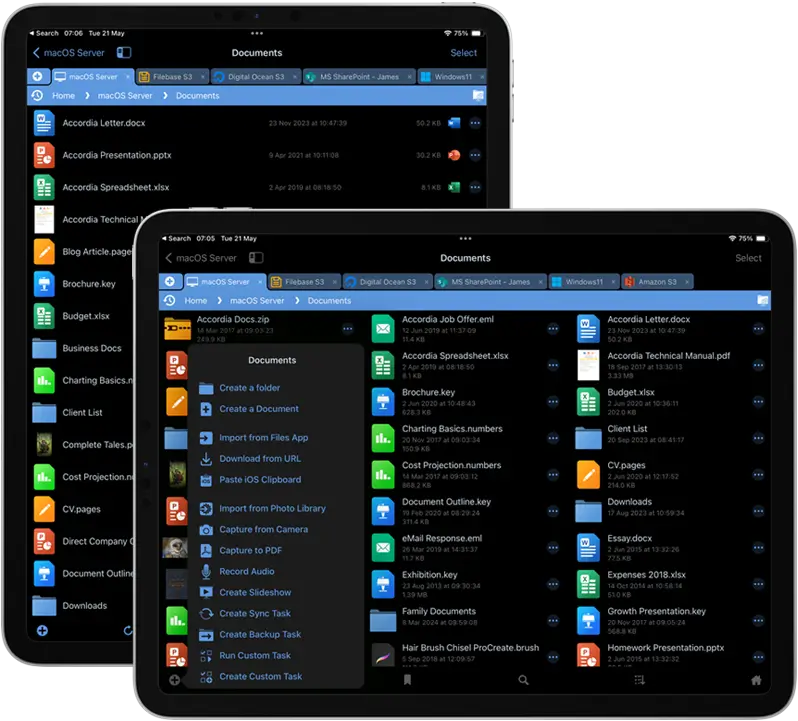

Add Over 20 Connectors to the iOS Files App
Apple’s iOS Files App requires a separate app to be installed per cloud storage type (such as Google Drive) before you can access those documents within the Files app.
FileBrowser Professional integrates all of its connections with the the Files App, reducing the need for additional apps.
This can be turned off in the config settings.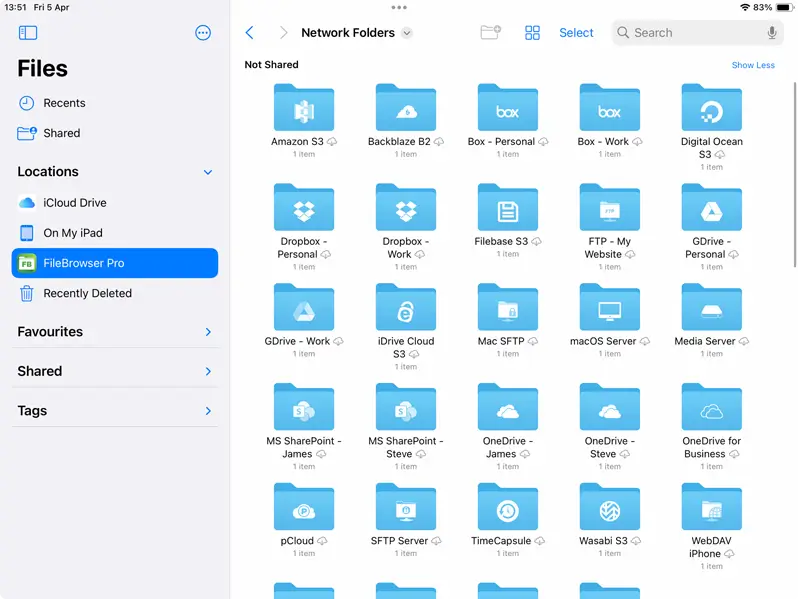

Enhanced Search
When searching by filename isn't enough, FileBrowser Professional's advanced search allows you to add extra criteria to your search such as:
- Filename Not Containing: Use keywords to filter out files.
- File Type: Select a type, Images, Documents, Videos or enter the file extension or several such as "psd,ai,ind"
- Date: Choose from a preset or use a custom date range
- Size: Choose from our range of presets
These extra search criteria can be combined.
Live Searching
Update the contents of the current folder as you enter your search.
Save Searches
Create and save your search criteria for later use.
Regex Searches
Turn on Regex search to use regular expressions in your searches for complex pattern matching.
Advanced SearchQuick Navigation Made Easy
One Touch Navigation
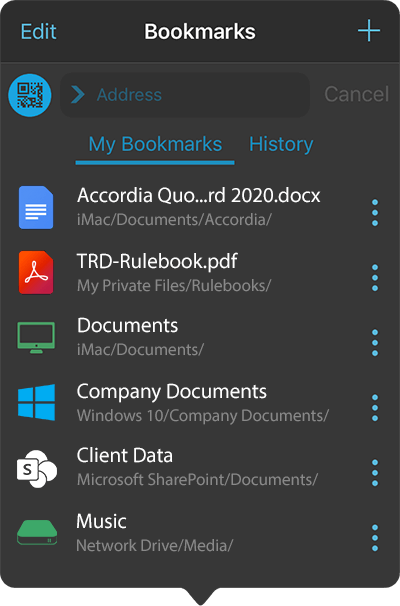
Bookmark your commonly used folders for one tap navigation.
Bookmark specific files for later reading or viewing.
When reading long PDF documents or ePub files, bookmark your page and return to it later.
Folder History
FileBrowser Professional automatically remembers your most recently visited files and folders. With a single tap you can re-open a document or rapidly browse to a folder.
Editing Documents Made Easy
Direct Editing of your Documents in Network or Cloud Folders





No more copying documents back and forth between apps. Browse your documents on your computer or in the cloud with FileBrowser Professional and within 2 taps you can be viewing and editing documents in Word (and other editors). When you exit, all your changes are saved back to your computer or cloud storage.
It's this EasyIntegrates with Office 365

Our file manager works perfectly with Office 365 apps and storage, easily browse and manage all your documents whether they are on your device or stored in OneDrive for Business, Azure Files, or Sharepoint servers in the cloud or on-premise.
Office 365 Integration
PDF Creator & Editor
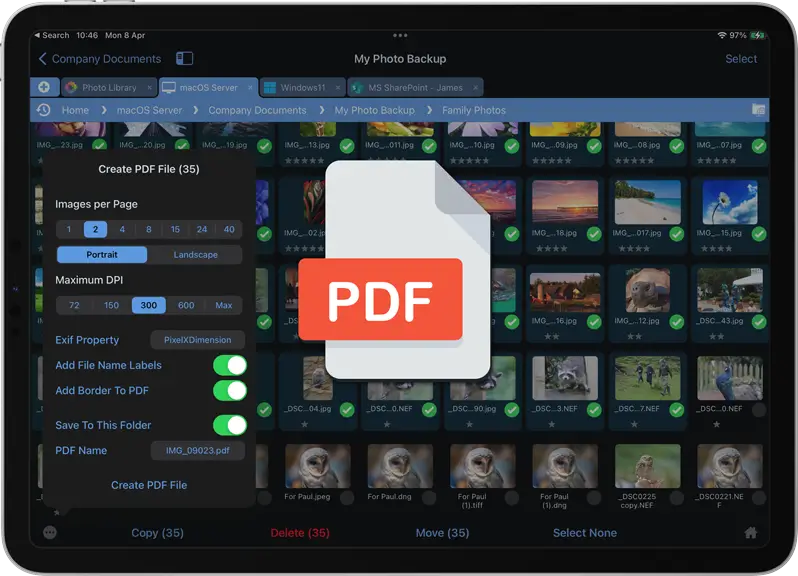
Create Multi-Page PDFs from Photos
Create PDF documents from your photos, as a single page PDF or multi-page photo contact sheets. Great for professional photographers.
Scan physical documents as PDFs using our document scanner, and Markup-Up or annotate using the built-in PDF annotator. Merge and re-order multiple PDF files into one file.
Annotate your PDFs and Images
Make comments, highlight text and use the drawing tools. FileBrowser Professional also works with Apple Pencil to make drawing and writing easier on iPad Pro.

ePub Reader
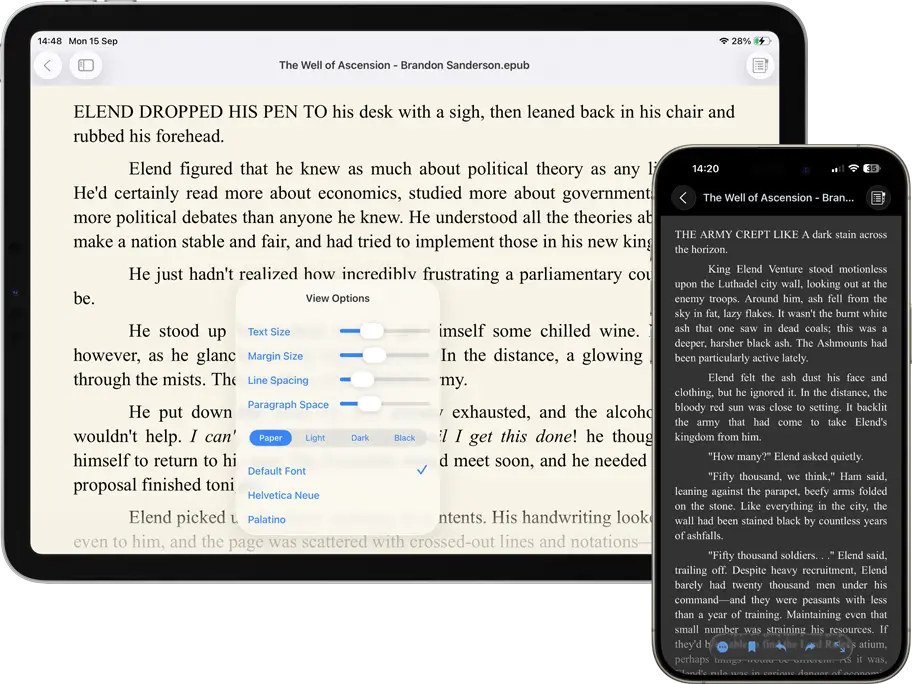
Read your ePub files in our ePub viewer and bookmark your page to continue reading uninterrupted. Change reader styles, font type and sizes for easier readability.
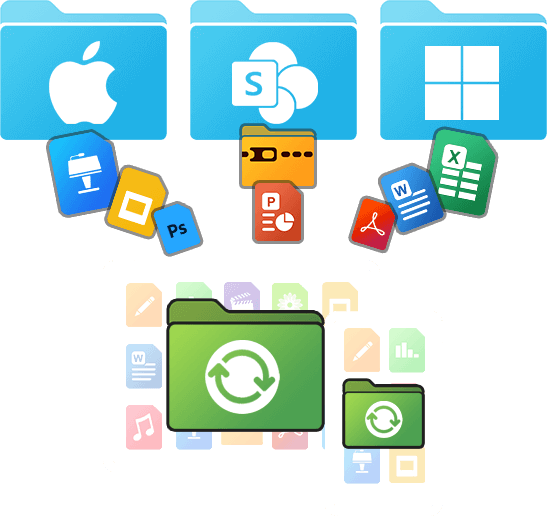
Sync or Backup your iPad / iPhone Documents & Folders
Automatically Sync Documents to iOS
Always have the most up to date documents by syncing documents or folders from your computer, PC, Mac, file servers or cloud storage to your iPad / iPhone.
Create Two-way Sync Folders on iOS
Create, modify, rename and delete documents and folders in a local Sync Files location and the changes will sync back to their original folder when you are next online.
Tell me about Sync
Create Backup Tasks for Documents or Folders
Backup entire folders or individual documents from your iPad or iPhone to a personal computer, company server or even your cloud storage.
You can even backup from one remote location to another such as Dropbox to OneDrive or from your computer to Cloud storage.
Tell me about Backup
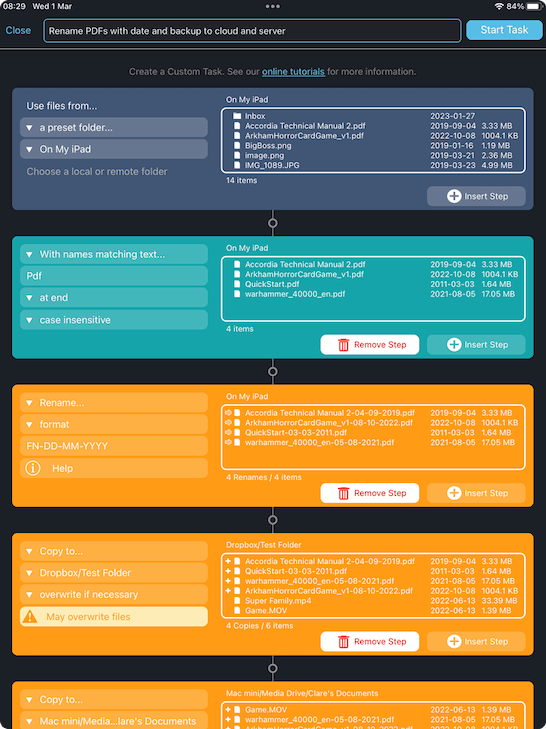
Create Custom File Workflows
Use our powerful custom task builder to create file tasks such as:
- Monitor Remote Folder for new PDF documents in the last seven days and download to my iPad or iPhone.
- Automatically monitor a remote folder for file names with a keyword and download matching documents to your iPad or iPhone.
- Automatically Backup your iPhone or iPad Camera roll to two locations your computer and Google Drive for example.
Use our task builder to create your own custom tasks for advanced bulk renaming, moving, copying, advanced backup and sync operations. Run as a scheduled task or manually.

Slick App, Great Support
Precisely control what the users can see and do by tweaking the settings and permissions and then locking them in with an admin password. Tech support is the best I've ever seen, hands-down.App Store Review
iPad Essential
This is literally one of the apps that makes file management on the iPad viable and sometimes better than Finder on MacOS. I use it to manage files across my Macs, 2x NAS drives, cloud storage and PC. The developer continually upgrades it with new features and bug fixes. If you haven’t tried it yet, do not hesitate, you can thank me later :)App Store Review
Browser doesn’t do it justice - awesome
It has turned my iPad to a professional business device with a full suite of file management tools that you’d expect on a desktop. The way the Pro version works with Cloud storage is brilliant and offers huge flexibility. Clearly a product borne out of frustration with the apps that come with the major cloud providers, this app is a must for anyone wanting more than just syncing to their devices.App Store Review

Safe and Secure File Management on iOS
FileBrowser Professional automatically selects the most secure version of SMB available for your connections, up to encrypted SMB3 for Windows11 and connecting to Encrypted Shares on Windows Server or macOS Server.
No changes are required on your server as all your access permissions are enforced by the server when you log in with your Active Directory account from File Browser Professional.

Secure Access to your Documents over VPN
For business or corporate environments a VPN is usually available and FileBrowser Professional fully supports this, whether you are using a system-wide iOS VPN client or a per-app VPN configured and deployed by your MDM system.
For personal or home use, access your documents over WiFi or cellular (mobile data) using ZeroTier and FileBrowser Professional. ZeroTier's VPN solution is simple, secure and easy to setup.
Professional Photographer Workflow on your iPad / iPhone
With Professional Photographers in mind, FileBrowser Professional has the following great features:
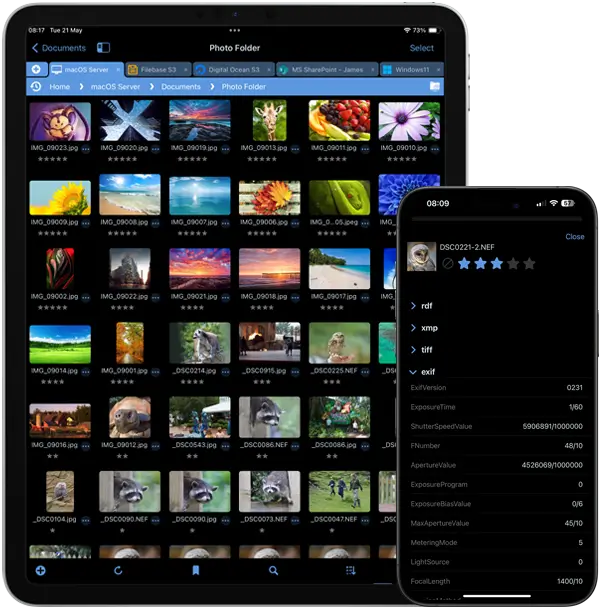

View Hi-Res Raw Photo File Formats
View RAW photo camera files on your iOS device, including NEF, CR2, NRW and many more.

View your Photo EXIF MetaData
Check exposure time, shutter speed and even the camera you took the photo with. View all your EXIF MetaData on iPad / iPhone with FileBrowser Professional.

Rate and Reject Photos
Rate or reject photos on your iPad / iPhone using XMP while on the move. Perfect for photographers and works great with Adobe Lightroom.

SD Card & Wireless Card Access
Access your RAW photos on your SD and Wireless Cards, USB drives using your iOS device.

Batch Photo Renaming
Use our bulk renaming tools: Change file names to include the date or any MetaData. Customize to add your own text or even find and replace.
Configurable iOS Document Access for Business and Corporate Workspaces
Using FileBrowser Professional with a Mobile Device Management (MDM) system allows centralized configuration and deployment to all your users, ranging from small businesses to global deployments of thousands of devices.
You can also find us on the Ivanti and Jamf MarketPlace.
Works with your Existing Infrastructure
- No additional software needed on your computers or file servers.
- Users connect with their existing Active Directory credentials, and all file/folder permissions are preserved.
- Perfect for enterprise-grade environments, including Distributed File System (DFS) and Windows Server Clusters.

Deploying to a Large Number of iPads or Users?
Drop us an email to discuss the best and most cost efficient way of providing powerful file access and management to your company iOS devices.
info@stratospherix.com
If your company needs a files app that can be managed via Intune MAM policies, see our Enterprise Files for Intune app.
MDM Managed File Access for iPhone & iPad
We support any MDM system that supports App Config - from Apple Profile Manager to fully featured enterprise grade MDM / MAM systems. If you would like to talk to us about about your mdm setup and compatibility send us an email: support@stratospherix.com.



















Multiple Language Support
FileBrowser has been professionally translated into the following languages: English, French, Spanish, Italian, German, Dutch, Traditional Chinese, Simplified Chinese and Japanese, supporting over 1 million users worldwide.

Accessibility
We put significant effort into supporting our visually impaired users and are always delighted to hear how well FileBrowser works with iOS VoiceOver. See our Accessibility page.
Perfect for Remote Working
FileBrowser Professional is the ideal remote work companion for your iOS device

Online
With a VPN connection to your workplace, using FileBrowser Professional at home or over cellular (mobile) is the same as when in the office. Browse, download, edit and upload documents.

Offline
Use our automatic folder sync to download files and folders to your iPad/iPhone. Edit these while offline and sync back to the work server when next online.
Only Pay the Difference to Upgrade
If you already own FileBrowser, use the App Store's 'Complete my Bundle' to add FileBrowser Professional by only paying the difference.
Use both apps to separate content or migrate connections to the all-powerful FileBrowser Professional.
- Backup and Sync
- Custom Tasks
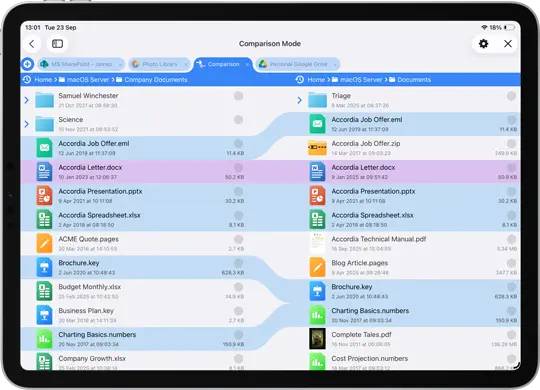
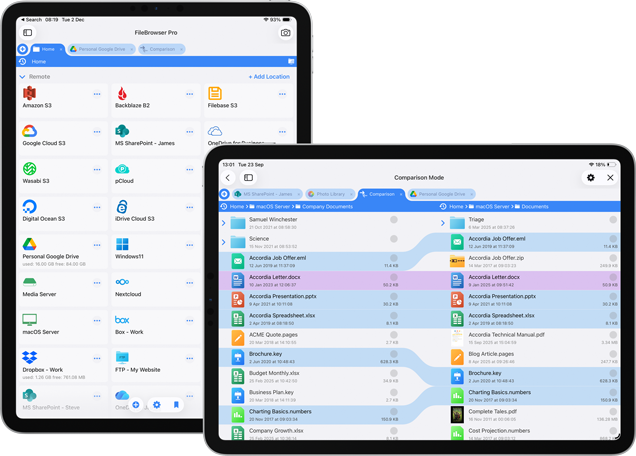
- Compare Folders
- Merge PDFs
- SMB 3 Enhanced Security
- 12 more Cloud Connections
- Advanced WebDAV Server
- Advanced Search
FAQ
-
Is FileBrowser Professional secure?
FileBrowser Professional goes above and beyond the control that an Enterprise Mobility Management system provides, to provide you with fine-grained control over how your iPad can be used and the data it stores, and how it secures access to your data.
-
Are FileBrowser Documents Safe?
Access to FileBrowser Professional app can be locked with either a password or TouchID. You can also setup your connections to require passwords to access your files.
-
What Files Can FileBrowser Professional View?
FileBrowser Professional features several viewers such as: MS Office documents, Apple iWork, PDF, ePub, movie and music player, photo slideshow viewer, as well as various text and document viewers. Files that cannot be viewed can be shared to other apps easily.
-
Is FileBrowser Business still available?
Yes, FileBrowser Businesses was renamed to FileBrowser Professional and is continually updated.
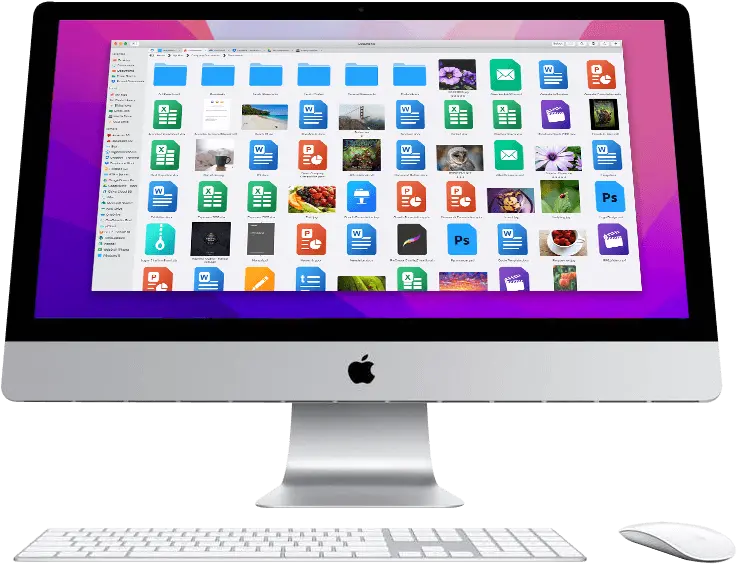
FileBrowser Pro is Now Available for Mac
All your Cloud Storage in One App
Browse and access all your cloud storage on macOS, such as Google Drive, OneDrive for Business and many others from one Mac app. Learn more about FileBrowser Pro Mac.


Latest Update:
26.00 - Sun, 18 Jan 2026 08:20:59 GMT
Improved Custom Task features, added media playback speeds, support for DNG image files and various other features and bug fixes.
- Full Update Information
Download Now


